Project 1 · CS180 · Fall 2026
Images of the
Russian Empire
Sergei Prokudin-Gorskii photographed the Russian Empire in color before color film existed. Three exposures of every scene, through a red, a green and a blue filter. This aligns his glass plate negatives back into single color photographs.
The problem
Three photos, one scene
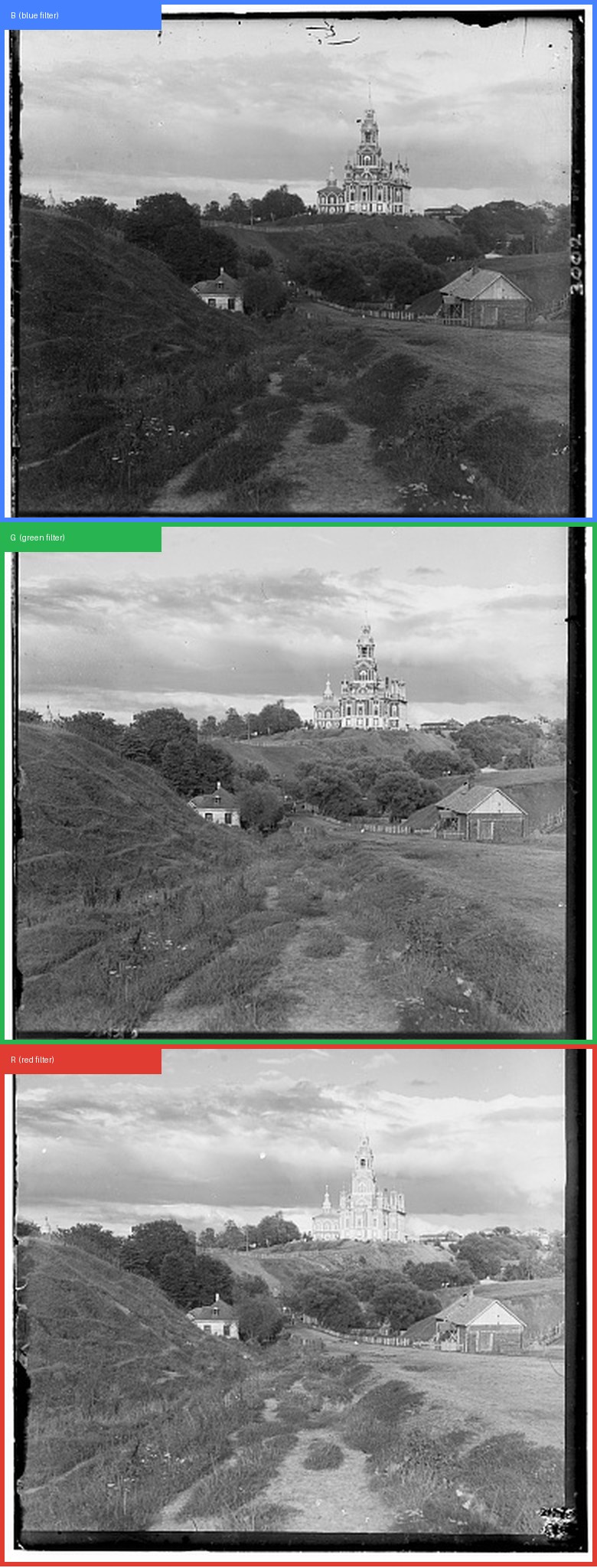
Each scan is one tall image that holds three separate photos. Prokudin-Gorskii took them one after another through three different color filters, and they sit stacked on the plate in blue, green, red order from top to bottom. To get a color photo back I cut the scan into three equal pieces and put them into the red, green and blue slots of a new image.
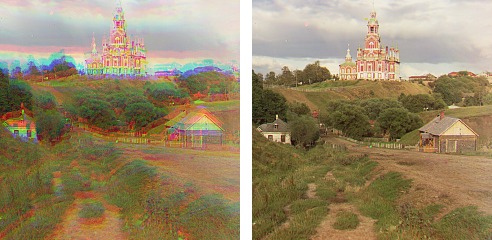
The problem is that the camera moved a little between the three shots. If I stack the pieces without doing anything else, every object lands in a slightly different spot in each channel, and the result has colored outlines all over it. So before stacking I slide the green and red pieces around until they line up with the blue one. Blue stays fixed and only the other two move. The only thing I search for is how far to slide each piece up or down and left or right.
Part 1
Single-scale alignment
My first version simply tries every possible shift. For each channel I loop over every whole pixel shift from -15 to +15 in both directions. That is 31 by 31, so 961 shifts to test. For each one I slide the channel with np.roll, compare it against the blue channel, and keep whichever shift scored best.
I scored those shifts two different ways. The first is L2, also called Euclidean distance. I subtract one image from the other, square every pixel of the difference, add it all up and take the square root. A small number means the two images are close, so with L2 I want the lowest score. The second is normalized cross correlation, or NCC. For NCC I subtract the mean from each image and divide each one by its own length, then multiply them together pixel by pixel and add up the result. Because both images get flattened onto the same scale first, NCC ignores whether one channel is brighter overall and only looks at whether the patterns match. A score near 1 means a good match, so with NCC I want the highest score. I used NCC as my default.
To keep the code simple I had my scoring function return the negative of the L2 distance. That way a bigger number always means a better match no matter which metric I pick, and I only need one search loop instead of two.
One detail that matters more than I expected is that I do not score the whole image. I cut the outer 20 percent off first. There are two reasons. The scans have black and white borders from the plate itself, and those borders look nearly identical in all three channels, so they make every shift look like a good match and drown out the real signal from the photo. On top of that, np.roll wraps pixels around, so shifting an image down by ten pixels makes the bottom ten rows reappear at the top. Cropping well past the largest shift I search keeps that wrapped strip out of the score.
| image | G (dy, dx) | R (dy, dx) | metric |
|---|---|---|---|
| cathedral | (5, 2) | (12, 3) | NCC and L2 |
| monastery | (-3, 2) | (3, 2) | NCC and L2 |
| tobolsk | (3, 3) | (6, 3) | NCC and L2 |
NCC and L2 picked exactly the same offsets on all three images. That makes sense, because these three are the easy cases. They are small, the offsets are tiny, and their three channels have fairly similar brightness, so both metrics agree about where the best match sits. The two only start to disagree on plates where the channels have very different brightness, which is exactly what goes wrong with the Emir further down.
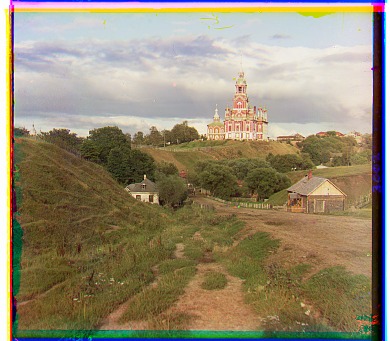
G (5, 2) · R (12, 3)
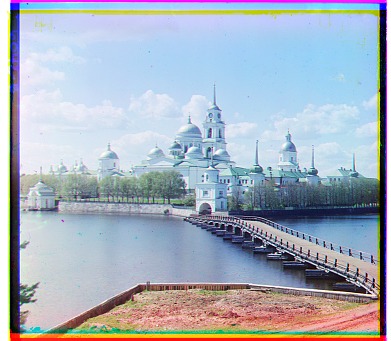
G (-3, 2) · R (3, 2)
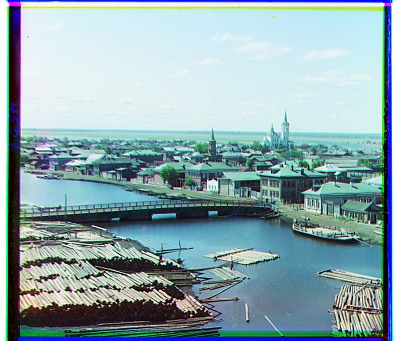
G (3, 3) · R (6, 3)
Part 2
Coarse-to-fine pyramid
The exhaustive search is fine on the small jpg files, but it falls apart on the full size tif scans. Those are roughly 3600 by 3200 pixels per channel, and the real offsets run past 170 pixels. To find an offset that big by brute force I would need a search window of at least 341 by 341, which is over 116,000 shifts, and every single one of those compares about 11 million pixels. That would take hours per image.
The fix is to solve an easier version of the problem first. I shrink both channels by half over and over until the longest side is under 300 pixels. The offset shrinks by the same factor on the way down, so an offset of 170 pixels at full size becomes only about 10 pixels down there, and a plain 31 by 31 search finds it quickly. Then I work back up. Each step up doubles the image, so it doubles the offset I found too. From there the answer is only a pixel or two away, so a tiny 5 by 5 search is enough to polish it at each level. I wrote this as a recursive function that calls itself on the half size images and then refines whatever comes back.
For the shrinking step I average each 2 by 2 block of pixels into one pixel rather than just keeping every other pixel. Averaging blurs the image slightly on the way down, and that blur matters. If I only kept every other pixel, fine detail like grass or water texture would turn into random noise at the small sizes, and the coarse search would lock onto that noise instead of the real shape of the scene.
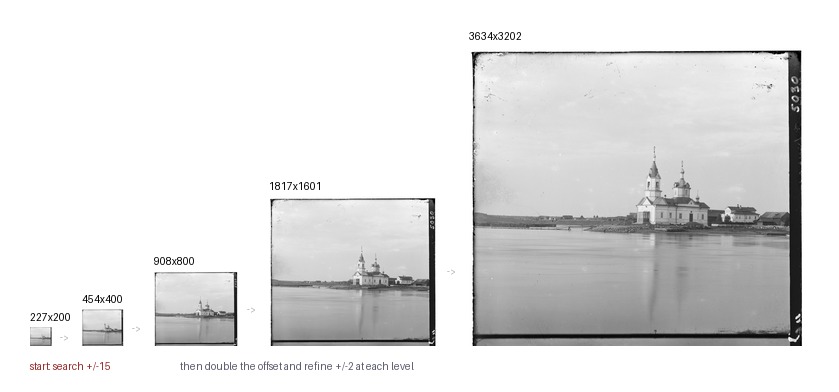
I use the same settings for every image, with no tuning per picture. The pyramid keeps halving until the longest side is 300 pixels or less, the search at that coarsest level is plus or minus 15, and every level above it refines by plus or minus 2. Scoring always uses NCC on the middle 80 percent of the image. All 14 provided images run in about 25 seconds total, which is roughly 2.2 seconds for each full size tif.
Offsets on all 14 provided images
| image | G (dy, dx) | R (dy, dx) | time |
|---|---|---|---|
| cathedral | (5, 2) | (12, 3) | 0.2s |
| church | (25, 4) | (58, -4) | 2.2s |
| emir | (49, 24) | (141, -205) | 2.2s |
| harvesters | (60, 17) | (124, 13) | 2.2s |
| icon | (41, 17) | (89, 23) | 2.2s |
| ilemselga | (40, 7) | (130, 11) | 2.2s |
| melons | (82, 11) | (178, 13) | 2.3s |
| monastery | (-3, 2) | (3, 2) | 0.2s |
| religous_painting | (28, 3) | (68, 7) | 2.3s |
| self_portrait | (79, 29) | (176, 37) | 2.3s |
| siren | (49, -6) | (96, -25) | 2.2s |
| three_generations | (53, 14) | (112, 11) | 2.1s |
| tobolsk | (3, 3) | (6, 3) | 0.4s |
| wharf | (15, -7) | (83, -16) | 2.2s |
There is a pattern in the table worth pointing out. The red offset is close to double the green offset in almost every row. Church goes 25 then 58, melons goes 82 then 178, self portrait goes 79 then 176. That is what you would expect, because the red frame sits twice as far down the plate as the green frame, so whatever drift happened between exposures has had twice as long to build up. Emir is the one row that breaks the pattern badly, with a red offset of (141, -205) when every other image has a sideways offset under 40. That is the image my aligner got wrong, and I go through why below.
G (5, 2) · R (12, 3)
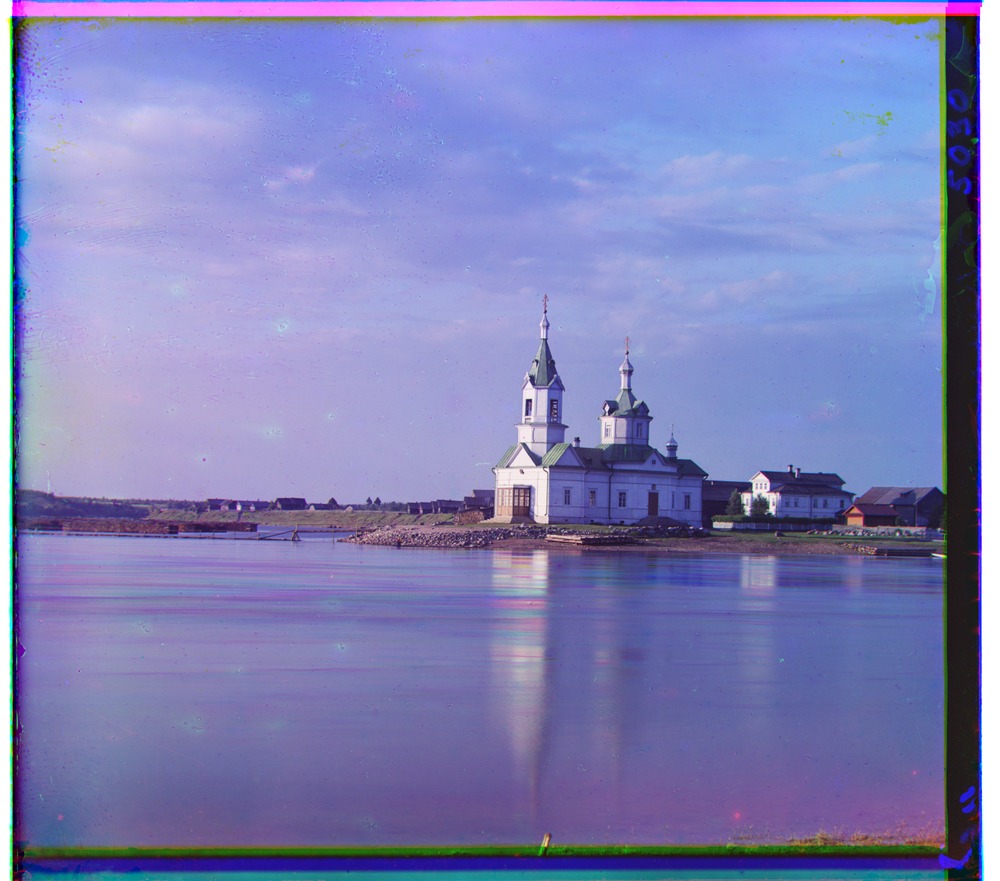
G (25, 4) · R (58, -4)
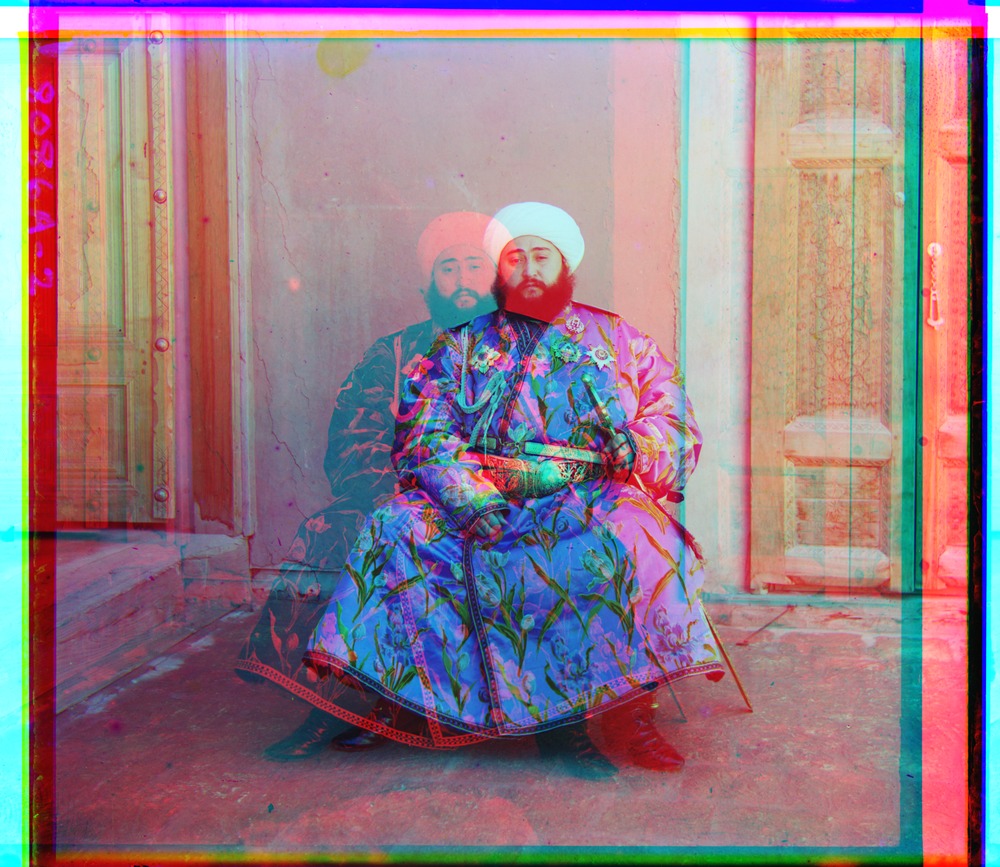
G (49, 24) · R (141, -205)
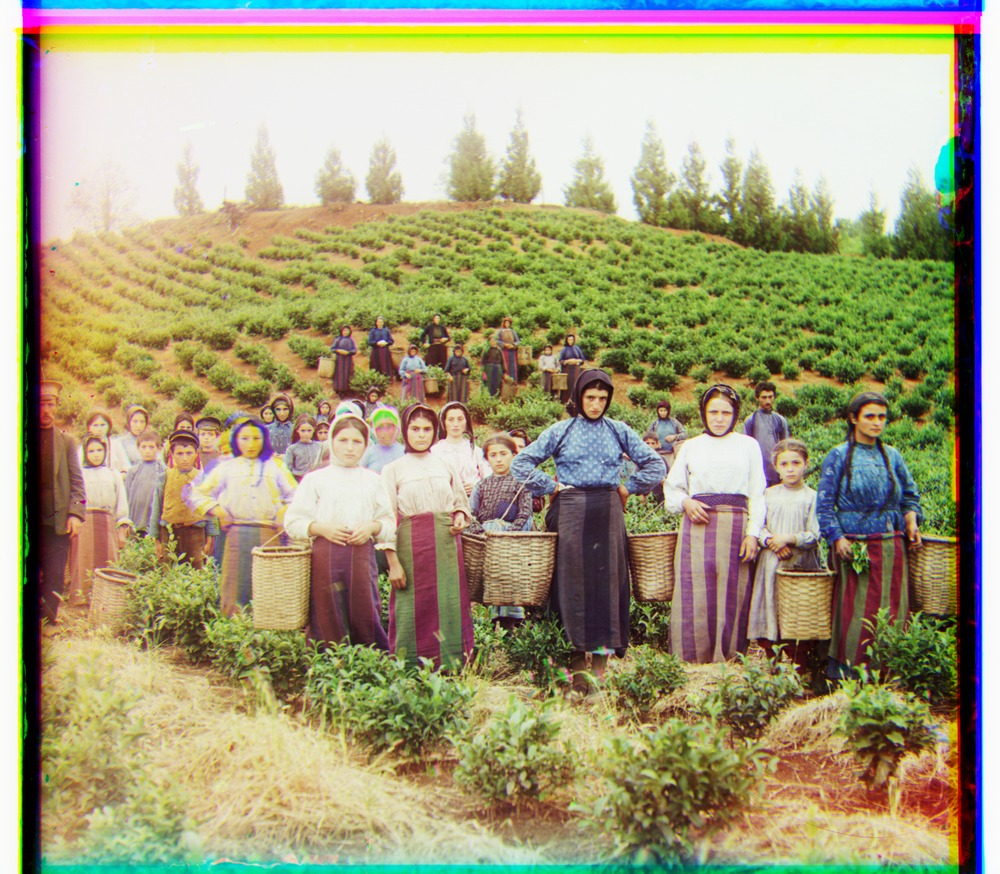
G (60, 17) · R (124, 13)
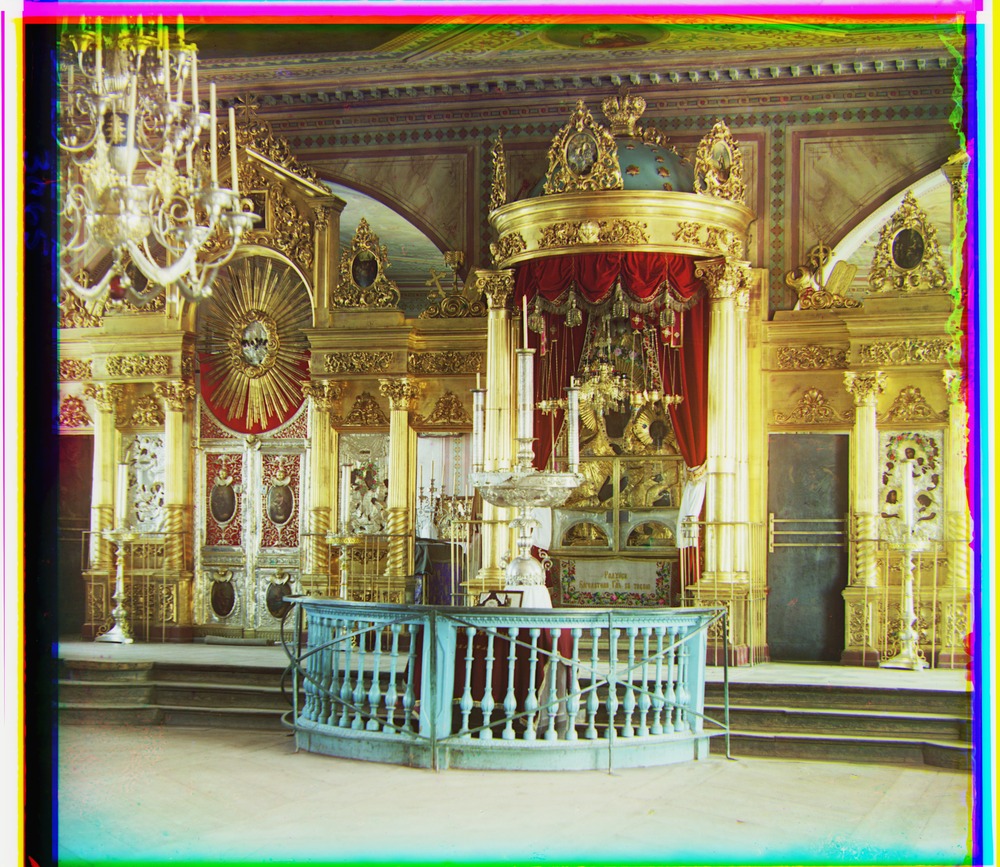
G (41, 17) · R (89, 23)
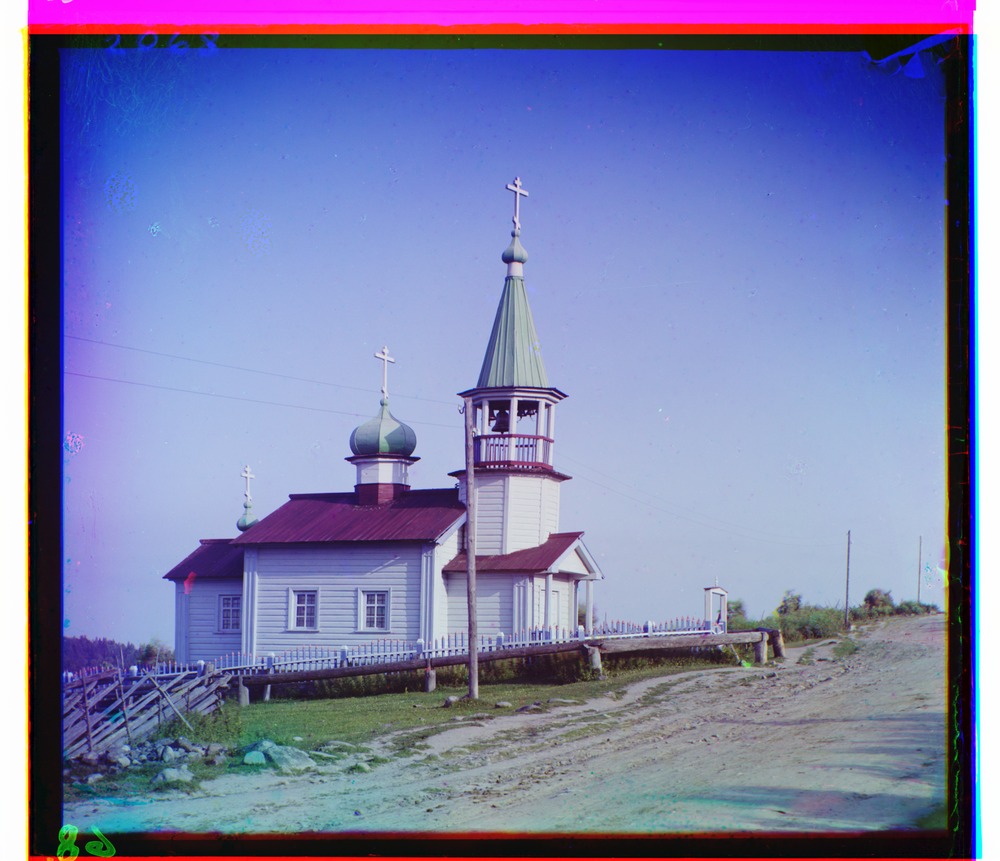
G (40, 7) · R (130, 11)
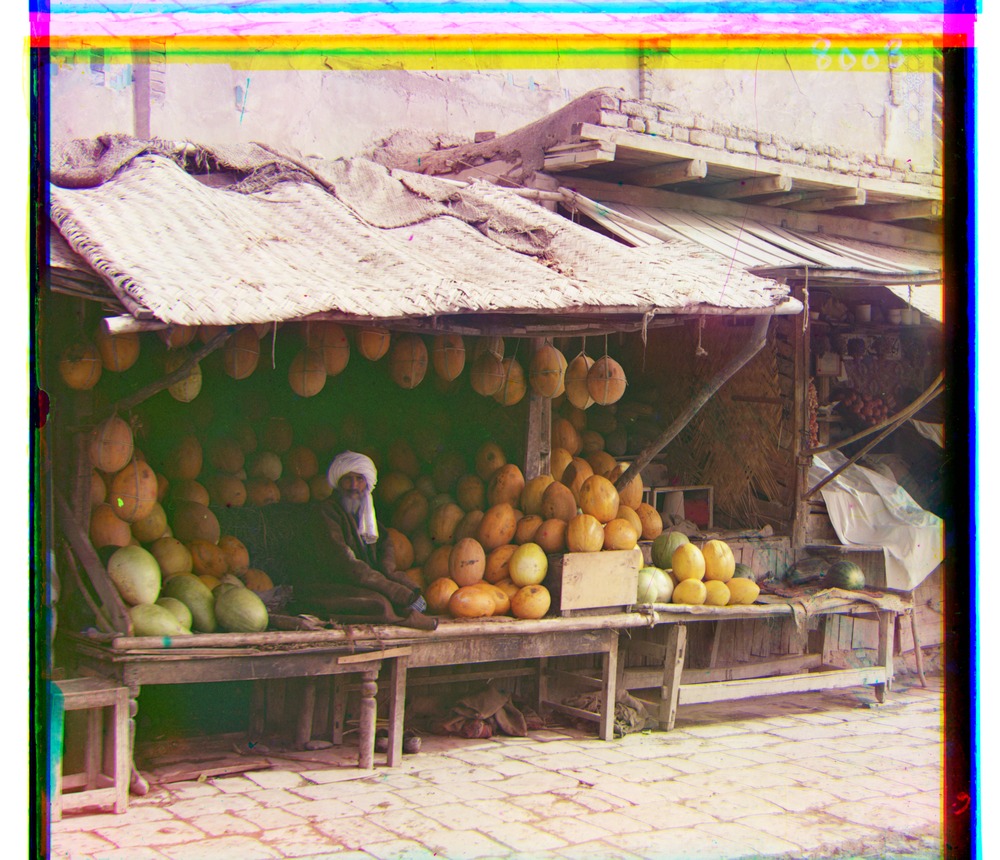
G (82, 11) · R (178, 13)
G (-3, 2) · R (3, 2)
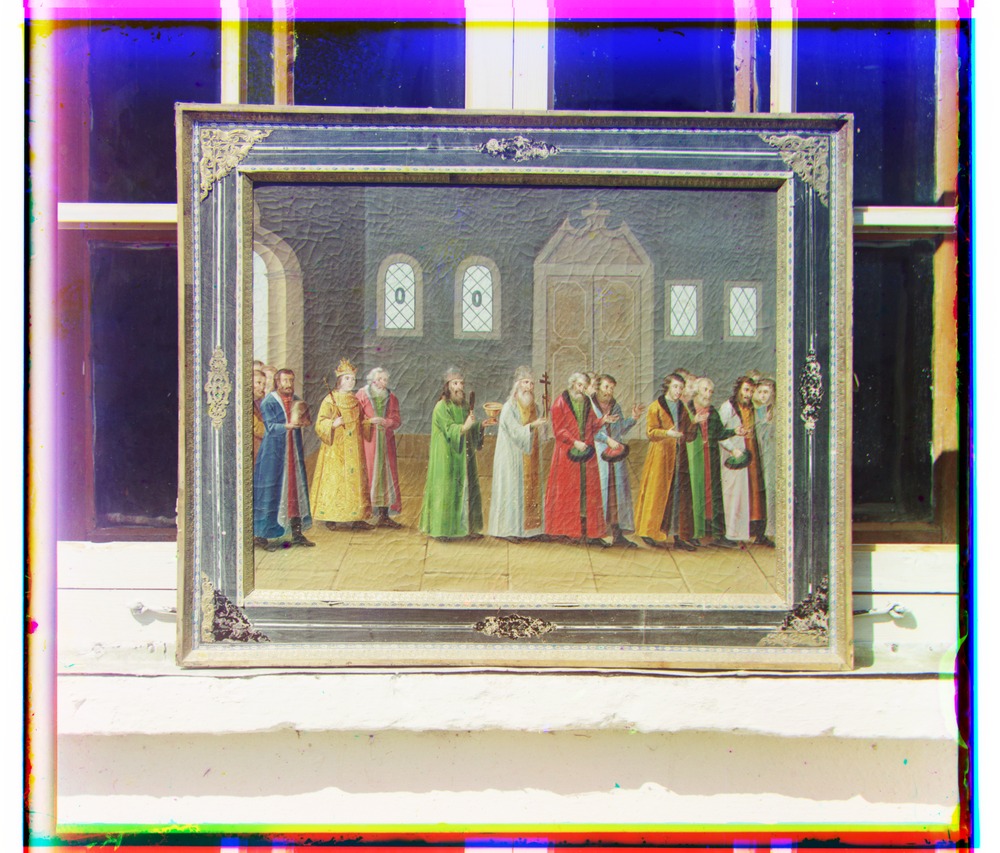
G (28, 3) · R (68, 7)
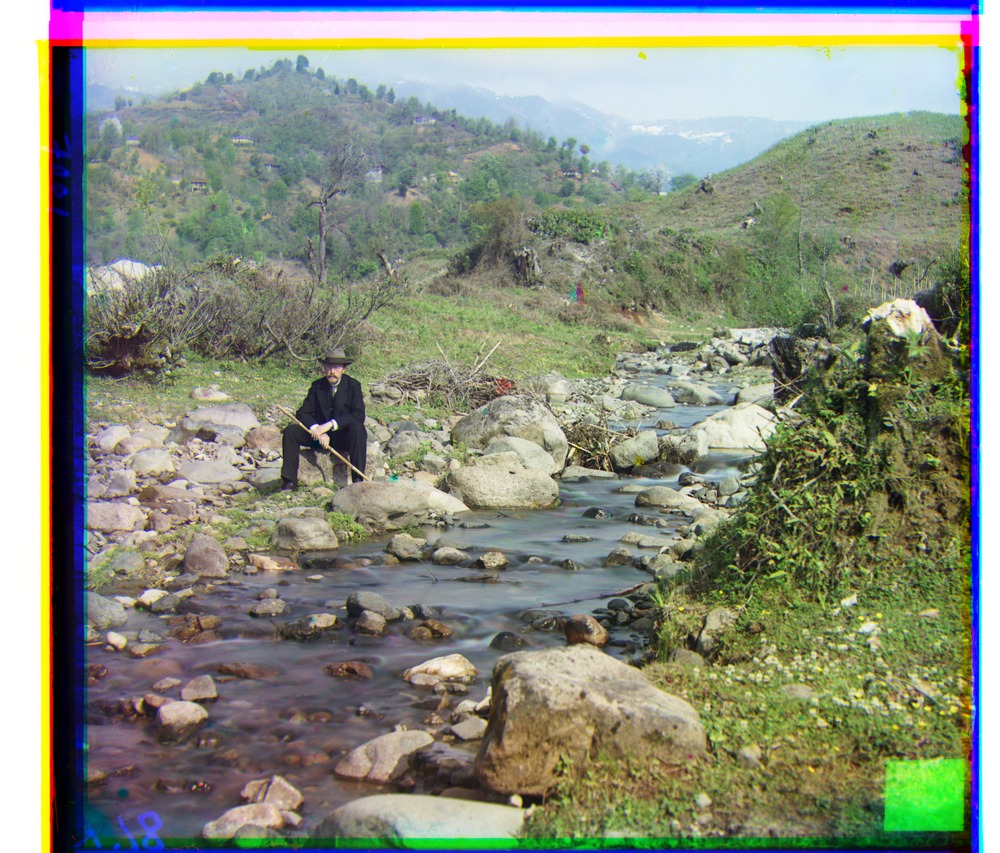
G (79, 29) · R (176, 37)
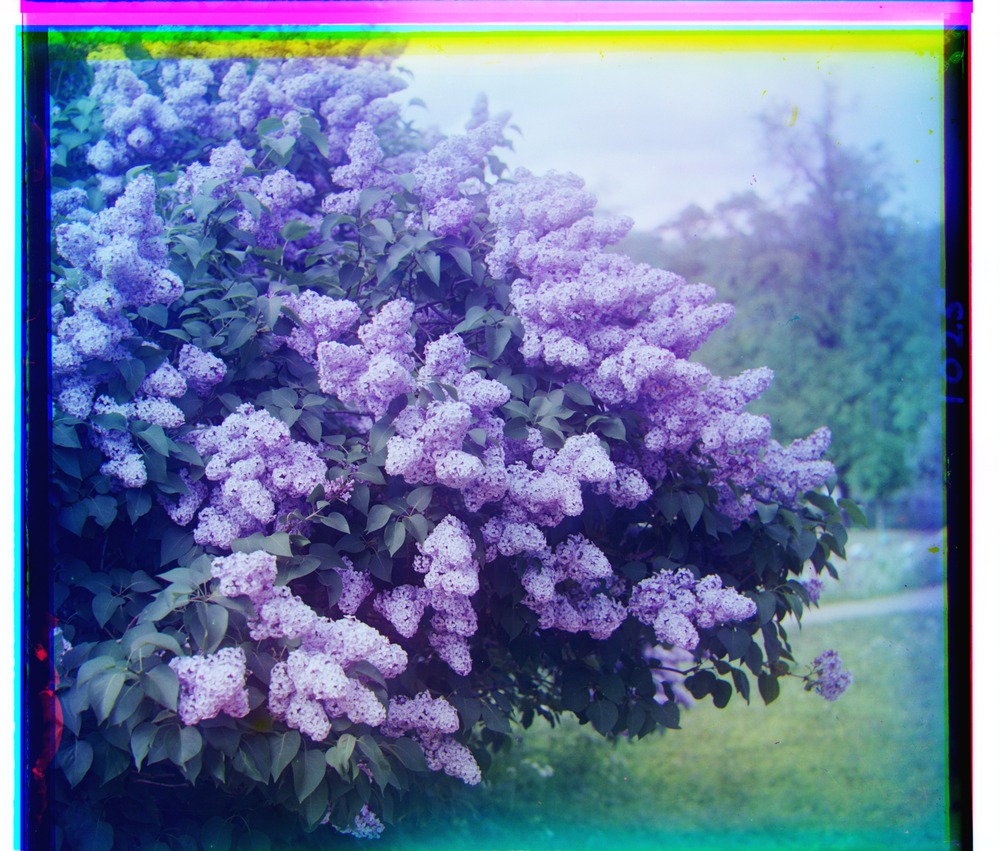
G (49, -6) · R (96, -25)
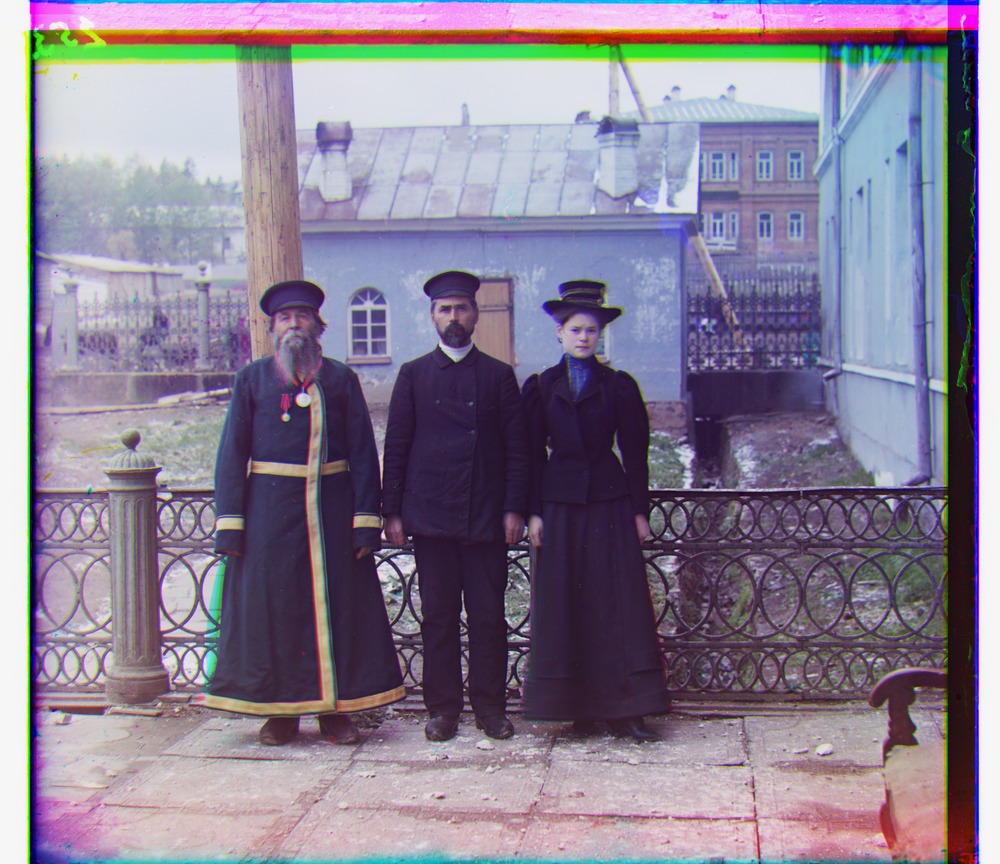
G (53, 14) · R (112, 11)
G (3, 3) · R (6, 3)
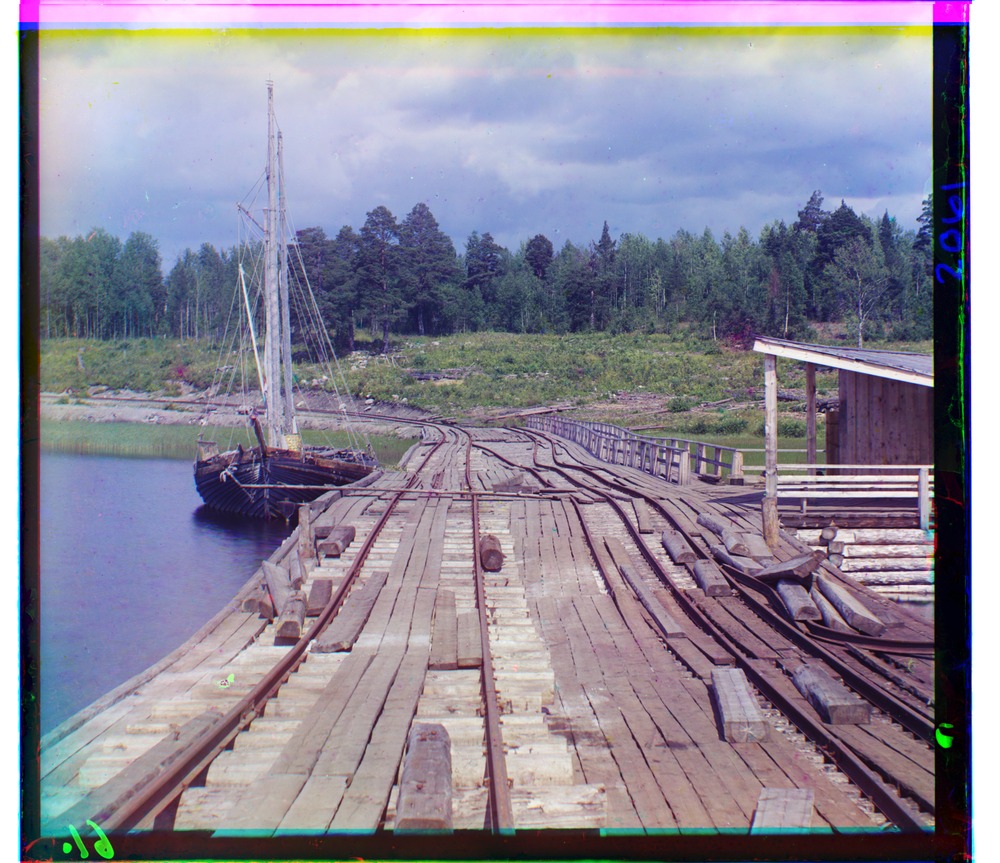
G (15, -7) · R (83, -16)
Part 3
Three of my own
These three came from the Library of Congress, which digitized Prokudin-Gorskii's whole collection and puts the raw glass plate scans online for free. I picked three that were not in the set we were given, and that looked different from each other, so I could see whether my aligner handles scenes it had not been tested on. I went with a narrow river gorge, a wide flat lake, and a village on a mountainside.
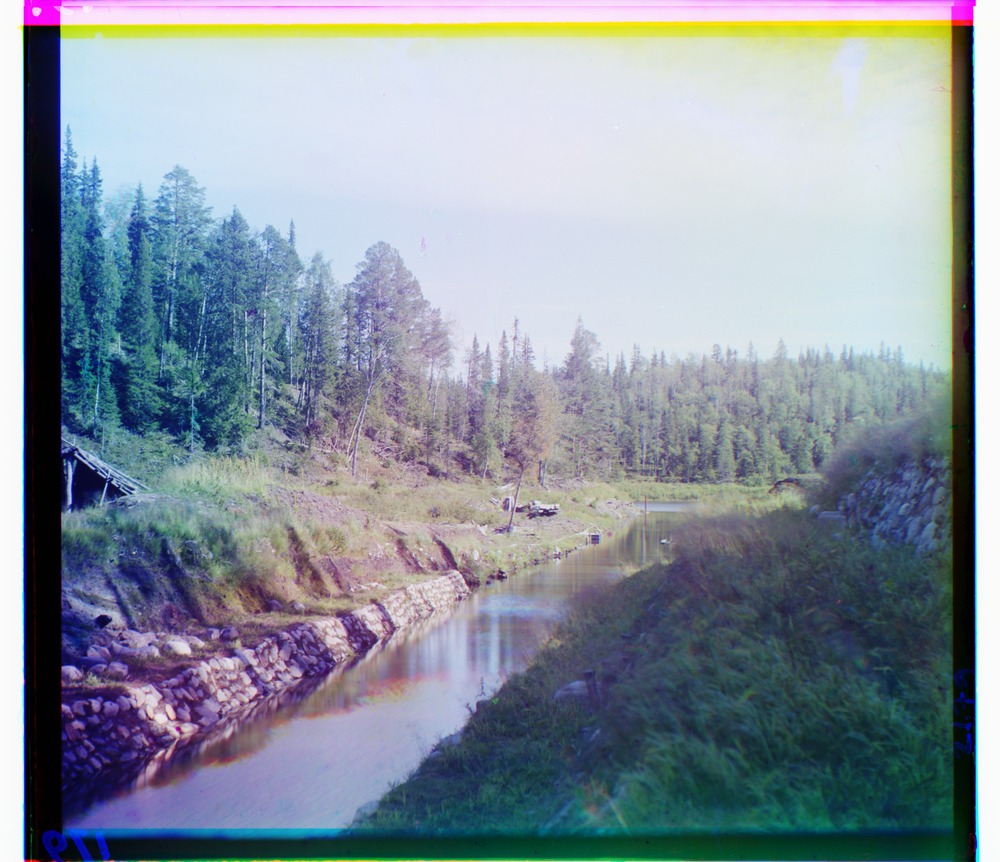
G (23, -7) · R (97, -12)
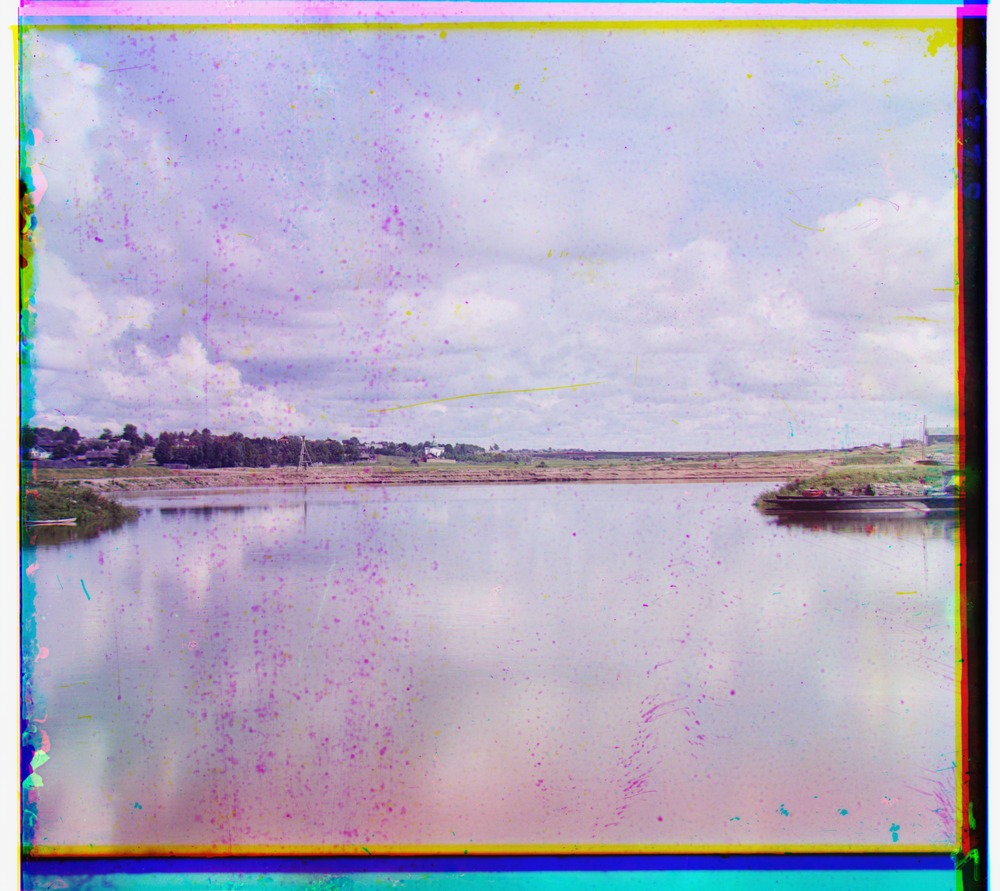
G (26, 2) · R (57, -2)
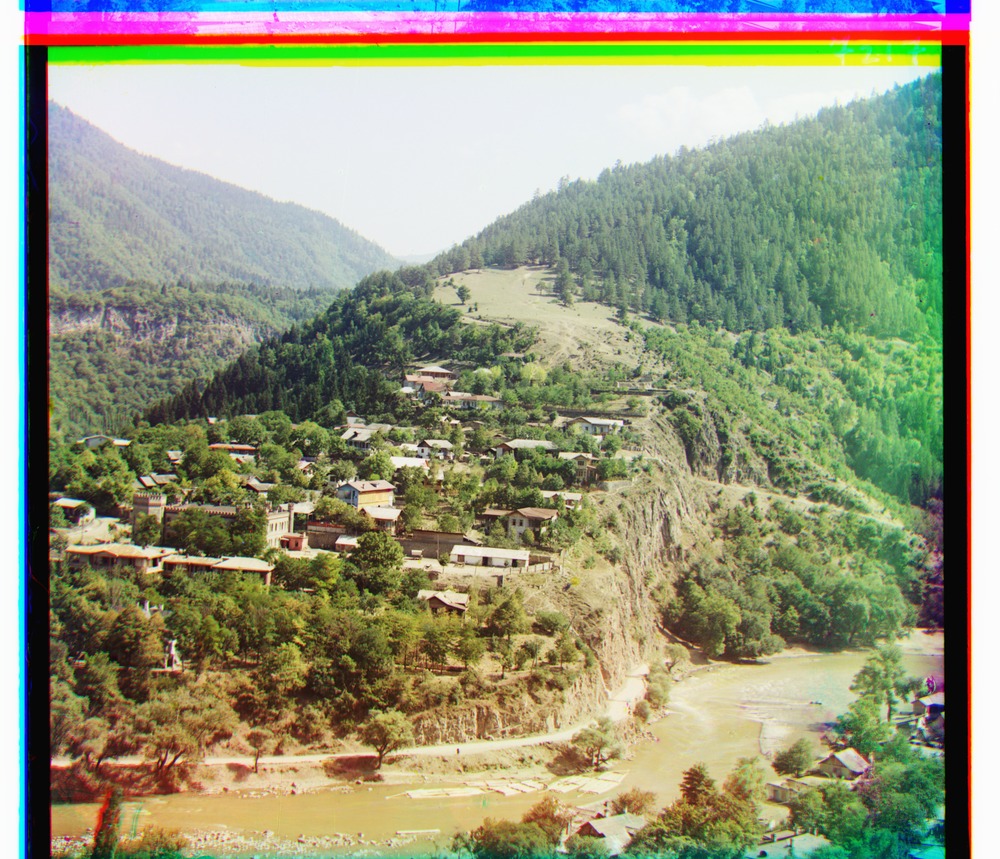
G (81, -11) · R (170, -33)
All three lined up correctly on the first run, using the exact same settings as the provided images. The lake is the interesting one. That plate has faded badly, it is covered in small spots of damage, and the whole thing is low contrast and washed out, so I expected it to give me trouble. It aligned fine anyway, and the buildings along the far shore come out sharp. I think NCC coped because subtracting the mean and normalizing makes the score ignore the overall fading, and the shoreline still gives it a strong enough pattern to lock onto.
Where it breaks
The Emir of Bukhara
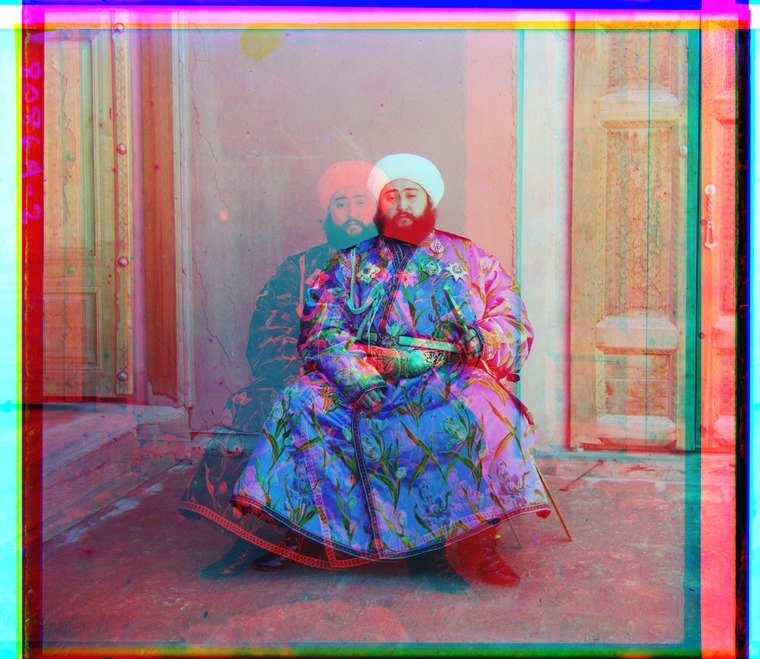
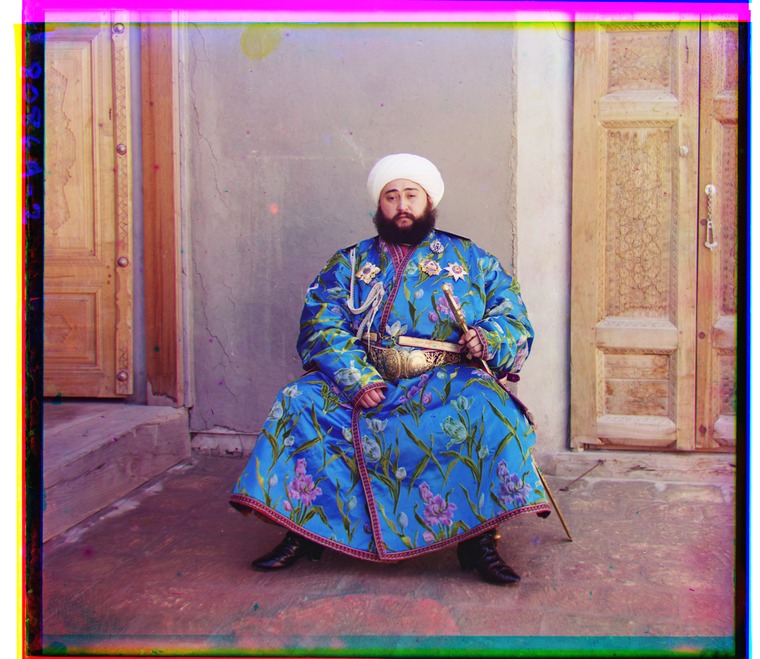
NCC on raw pixels assumes the three channels look roughly alike, and on this plate they do not. The Emir is wearing a bright blue robe. Blue cloth reflects a lot of light through a blue filter and very little through a red one, so the robe comes out nearly white in the blue channel and nearly black in the red channel. Parts of the background do the same thing in reverse. When the aligner slides the red channel around hunting for the brightness pattern that best matches blue, the correct position does not score well at all, because at the correct position a bright region is sitting on top of a dark one. It settles on a different position instead, 205 pixels off sideways, and the result is the doubled ghost image above.
Subtracting the mean does not rescue NCC here. That step only corrects for one channel being brighter overall, and the trouble on this plate is a different shape. Different parts of the picture flip brightness in opposite directions, so no single overall adjustment can line them up. The spec allows one image to come out misaligned and this is mine, but the next section is how I fixed it anyway.
Bells & whistles
Better features: matching on edges
The way around this is to stop comparing brightness and start comparing where the brightness changes. The outline of the Emir's robe sits in exactly the same place in all three channels, even though the robe is nearly white in one and nearly black in another. Edges survive a brightness flip, so matching on edges keeps working on plates where matching on brightness gives up.
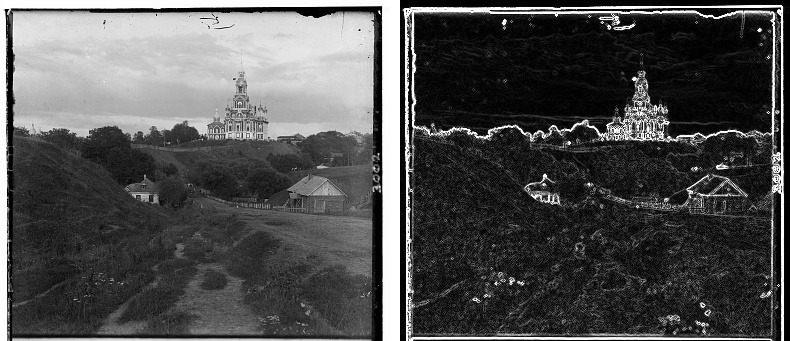
I build the edge map with a central difference. For every pixel I take the pixel below it minus the pixel above it to get the vertical change, and the pixel to its right minus the pixel to its left to get the horizontal change. Then I combine the two with Pythagoras, the square root of one squared plus the other squared. That gives me how steep the brightness is at that pixel whichever direction it happens to run. Flat areas like sky come out near zero and outlines come out bright.
One important detail is that the edge maps are only used for the search. I run the pyramid on the edge version of each channel to work out the offsets, then I go back and slide the original untouched channels by those offsets to build the final picture. The edge maps never appear in the output, they only tell me how far to move things.
| image | raw-pixel NCC | edge NCC | verdict |
|---|---|---|---|
| emir, R | (141, -205) | (107, 40) | fixed |
| church, R | (58, -4) | (58, -4) | unchanged |
| melons, R | (178, 13) | (177, 13) | within 1px |
The table shows how it went. Edges fix the one image that was broken, moving the Emir's red offset from (141, -205) to (107, 40), which puts it right back in line with every other plate. On images that already worked, edges barely change anything. Church comes out identical and melons moves by a single pixel. That is the behaviour I was hoping for, because a change that rescued one image while shifting all the others would be hard to trust.